By :
itswadesh
Published on Sunday, November 15, 2015,20:37:45 in JavaScript Scripts
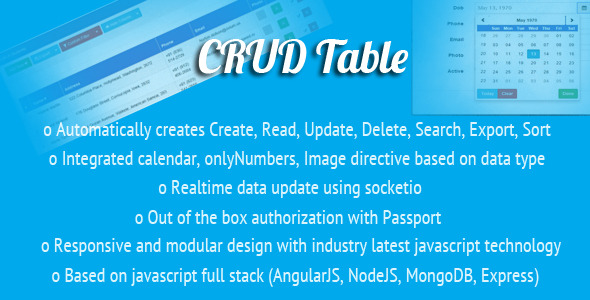
CRUD Table
CRUD-Table directive
Website authentication
Helpful AngularJS application with a directive to interact easily with the most common tasks of database (Create, Read, Update, Delete, Filter, Sort, Export) with just a single line of code utilizing the power of AngularJs
Directives,
Filters,
Factory,
Resources.
<crud-table api="API NAME" cols='[{"name":"text"},{"info":"text"}]'></crud-table>
Getting Started
This application is built over the top of AngularJS (Front End) + NodeJS (Server) with MongoDB (Database). We need to install both NodeJS and MongoDB
Prerequisites
Install the following softwares in your server
Node.js and NPM >= v0.12.0
[MongoDB](https://www.mongodb.org/) – Keep a running daemon with mongod
Development (Only need to run once)
Extract the zip file into a directory.
Open Command Prompt / Terminal and browse to the extracted directory.
Run npm install -g bower grunt-cli yo to install required libraries.
Run npm install to install server dependencies.
Run bower install to install front-end dependencies.
Run mongod in a separate shell to keep an instance of the MongoDB Daemon running
Build & Preview
Run grunt serve to start the development server. It should automatically open the client in your browser when ready.
Additional Parameters (Properties)
 - api : The AngularJS resource
     Ex: api = 'Customers'
 – cols : List of columns to be displayed
     Ex:  cols = "[{'name':'text'},{'active':'boolean'}]"
 – noadd : CRUD Table with no add button
     Ex:   noadd="true"
 – noedit : CRUD Table with no edit button
     Ex:   noedit="true"
 – nodelete : CRUD Table with no delete button
     Ex:   nodelete="true"
 – noexport : CRUD Table without export option
     Ex:   noexport="true"
 – nofilter : CRUD Table without the filter
     Ex:   nofilter="true"
 – nocolumns : CRUD Table without hide columns menu
     Ex:   nocolumns="true"
 – title : Optionally a table title can be specified
     Ex:   title="A list of all customers"
Creating your own CRUD-Table
Generate a new ReST API
yo angular-fullstack:endpoint hostel
The above command creates entry at
server/config/socketio.js
server/config/routes.js
Create a new route / page
yo angular-fullstack:route hostels
Create a new resource (data)
Open client/app/factory/factory.service.js
At the end, add
  .factory('Hostels', ['$resource', function($resource) {
    return $resource('/api/hostels/:id', null, { 'update': { method:'PUT' } });
  }]);
Embed the table into a html page
<crud-table api='Hostels' cols='[{"name":"text"},{"info":"text"},{"active":"boolean"}]' noedit="true"></crud-table>
Features
Select
Create
Update / Edit
Delete
Search / Filter / Sort
Export
Show / Hide Columns
Delete confirmation with modal
Column Filters
View change from table to grid
Infinite scrolling
Loading indicators
Realtime updates – Any changes to database is updated in Realtime
Smooth Animations
Count total number of records returned
Token expire time
Cookie store
Session management
Login
Signup
Change Password
Password encryption with SHA1
Automatic minification, compression, CDNify during deployment
Live reaload while development
User roles
Auto selection of resources for development and production
API with role based authentication
SEO optimized title for each page
Responsive front end to fit any screen
Modular code structure for faster development
Partial pages for changing themes on fly
Each module is placed inside its own directory for easy management
Out of the box directives: onlyNumbers, animateOnChange, passwordMatch, ngConfirmClick, errSrc, datetimepicker, datepicker, modalWindow
Out of the box filters: unique, labelCase, camelCase, reverse, active, status
Animations: ng-repeat, ng-if, ng-show
Nested routing mechanism using ui-router
Separate configuration envirnoment for development and production
Quick start video guide
Message for post confirmation/error
Modal system – so that user won’t have to leave the page for updation
This will fire up the application and will open up your browser with the application at the URL https://localhost:9000
Share This Product