Featured Products


[ cosmos ] infinite content engine for WordPress
By : jcdesigndesk Published on Tuesday, December 01, 2015,10:50:50 in WordPress Plugins
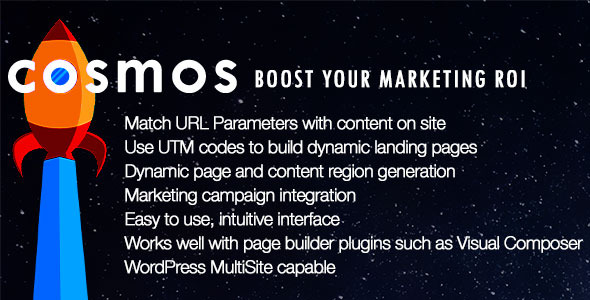
[ cosmos ] infinite content engine – turn clicks into customers
Supercharge Your Marketing Campaign With Personalized ContentFeatures
How can [ cosmos ] help grow your business?
Improve Conversion Rates
Automatically deliver content that’s perfectly matched to each visitor’s search. Advertising campaigns are only as good as the pages they lead to. [ cosmos ] transforms your landing page to appeal to your customer’s interests. Turn your clicks into customers time and time again.Maximize the Effectiveness of your Marketing Campaigns
Save time and increase ROI – let Cosmos personalize your website for each and every new customer. Cosmos creates a personalized, dynamic landing page for every user who visits your website, based on their web search.One Dynamic Landing Page is All You Need
With a single template, you can launch unlimited online campaigns. Although the content may change, it will always remain relevant to your customer’s search!Built For WordPress
[ cosmos ] is built exclusively for WordPress, the most popular content management system on the web.Support
Support is handled through a ticketing system at : Cosmos Support Direct LinkFrequently Asked Questions
Q. What documentation is available? A.There is online documentation that is kept up to date. It’s available from the plugin settings page in the WP Dashboard. Q. What types of content will [ cosmos ] work with?
A. [ cosmos ] infinite content engine will work with most content types that can be displayed within templates or shortcodes. Several standard shortcodes for content types are included.
Q. What types of content will [ cosmos ] work with?
A. [ cosmos ] infinite content engine will work with most content types that can be displayed within templates or shortcodes. Several standard shortcodes for content types are included.
 Q. What format do UTM Parameters need to be entered in?
A.Enter UTM parameters in the following format:
Q. What format do UTM Parameters need to be entered in?
A.Enter UTM parameters in the following format:utm_source
utm_medium
utm_campaign
utm_content
utm_term
No special characters and no values. Q. How does [ cosmos ] work? A. [ cosmos ] works by adding a custom shortcode to a page or post. The shortcode has parameters that determine what content type to display, all coming from your site. This can be WooCommerce products, blog posts, events from an event calendar, images, videos, any content type or custom post type that is on your site can be used. Once the page or post with the shortcode loads, it will first check to see if any URL parameters are present. If there are URL parameters, it will look for content that matches it in categories, tags or any other taxonomy. [ cosmos ] looks at all taxonomies associated with a given content type. Once a match is found, then that content will be displayed. If multiple matches are found, then [ cosmos ] will follow instructions in the shortcode parameter for ordering. This means either random content, latest published, latest modified, by name, or by author. Q. Can more than one instance of the shortcode be placed on a page or post? A. There is no limit to how many instances of the shortcode can be used on a single page or post. [ cosmos ] does however prevent duplicate content from appearing on a single page or post. Q. Can I change the styling of the generated content? A. Yes. There are specific class names assigned to the different types of content blocks that can be targeted in CSS. Q. Can the dynamic content results be limited to certain categories or tags (terms)? A. Yes. Under advanced options in the shortcode builder UI, the user has the ability to either exclude or limit results to specified terms.