Featured Products


CountDown With Image or Video Background - Responsive WordPress Plugin
By : LambertGroup Published on Tuesday, November 22, 2016,16:17:44 in WordPress Plugins


Â

IF YOU NEED ONLY THE JQUERY PLUGIN FOR THIS PRODUCT , YOU CAN DOWNLOAD IT FROM HERE : https://codecanyon.pluginus.net/item/countdown-with-image-or-video-background/11776508
Â
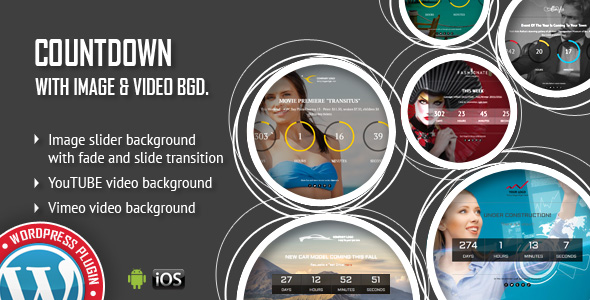
You can use it as CountDown for: websites under construction, last minute offers, coming events, launching a new product, discounts interval… and much more Installation: https://www.youtube.com/watch?v=sHV1-QXg4tg
How To Create a Countdown For Your Website: https://www.youtube.com/watch?v=QImZg5LmS2k
How To Create a Countdown With Video Background: https://www.youtube.com/watch?v=mmUjOZ-JbUE
How To Create a Electronic Countdown: https://www.youtube.com/watch?v=3Fj_LlGIjGY Â FEATURES:
 Extremly customizable
Over 100 js options from where you can customize the plugin.
Responsive Design
The plugin is fully responsive and will adapt the browser/device resolution. Parameter to enable or disable responsive behavior.
Begin Date & End Date
Parameters to set the interval: Begin Date & End Date. The launching date contains: Year, Month, Day, Hour, Minute and Second
CallBack Function
You can define a CallBack function which will be executed when the CountDown will end.
Multi Purpose Usage
You can use it as CountDown for: websites under construction,
last minute offers, coming events, launching a new product,
discounts interval… and much more
Two Versions
‘Circular’ and ‘Digital’ versions available. All customizable from parameters. The ‘Digital/Electronic’ version can be obtained by modifying the plugin parameters.
Social/Share
Options to add social icons in order to promote your website on all the available channels.
Logo Section
Option to set your logo. Also, logo link available with parameter for _self or _blank
Mobile Compatible
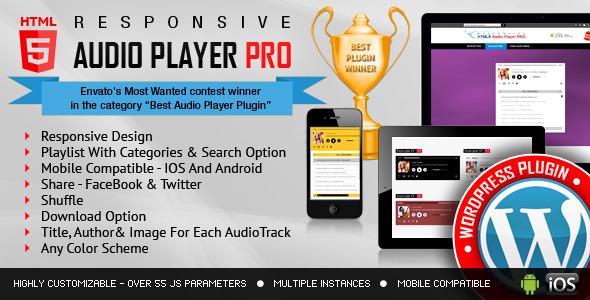
It is compatible with IOS and Android operating systems.
YouTube & Vimeo Support
You can use YouTube or Vimeo video as video background
Texture Over Images
Optional parameter to add a texture over the images. In this manner you’ll not have to modify each image to add the texture.
Two types of transitions
You can select ‘Fade’ transition or ‘Slide’ transition to navigate between slides.
Bottom Navigation Positioning
You can position the bottom navigation to left, right or center. Option to set preview thumbs
Touch Screen Navigation
Parameter to enable touch screen navigation feature.
Free Updates
Once you’ve bought the product, you can download for free, from your account, all the updated versions.
Extremly customizable
Over 100 js options from where you can customize the plugin.
Responsive Design
The plugin is fully responsive and will adapt the browser/device resolution. Parameter to enable or disable responsive behavior.
Begin Date & End Date
Parameters to set the interval: Begin Date & End Date. The launching date contains: Year, Month, Day, Hour, Minute and Second
CallBack Function
You can define a CallBack function which will be executed when the CountDown will end.
Multi Purpose Usage
You can use it as CountDown for: websites under construction,
last minute offers, coming events, launching a new product,
discounts interval… and much more
Two Versions
‘Circular’ and ‘Digital’ versions available. All customizable from parameters. The ‘Digital/Electronic’ version can be obtained by modifying the plugin parameters.
Social/Share
Options to add social icons in order to promote your website on all the available channels.
Logo Section
Option to set your logo. Also, logo link available with parameter for _self or _blank
Mobile Compatible
It is compatible with IOS and Android operating systems.
YouTube & Vimeo Support
You can use YouTube or Vimeo video as video background
Texture Over Images
Optional parameter to add a texture over the images. In this manner you’ll not have to modify each image to add the texture.
Two types of transitions
You can select ‘Fade’ transition or ‘Slide’ transition to navigate between slides.
Bottom Navigation Positioning
You can position the bottom navigation to left, right or center. Option to set preview thumbs
Touch Screen Navigation
Parameter to enable touch screen navigation feature.
Free Updates
Once you’ve bought the product, you can download for free, from your account, all the updated versions.
Â


If you need additional information don’t hesitate to contact us at office@lambertgroup.ro. We’ll try to answer you as quickly as possible.
Enjoy!
UPDATES / RELEASE LOG
***Version 1.0 Release Date: November 23, 2016