Featured Products


dbRuler
By : ShardSky Published on Tuesday, May 09, 2017,00:42:08 in JavaScript Scripts
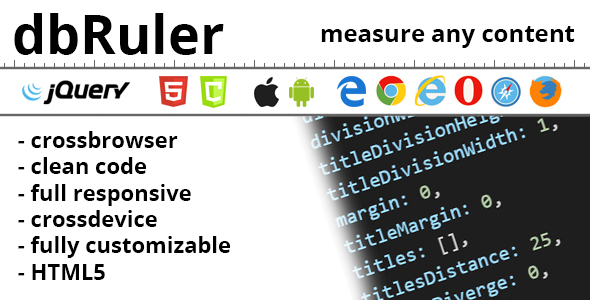
dbRuler dbRuler is a lightweight jQuery and canvas based plug-in featuring the most common options for web development. Ruler can be used in full screen size and in container. Plug-in is full responsive. Compatable with any kind of devices. It can be used as custom ruler with user defined data. Futuremore the app can be used as a pixel ruler. Fully customizable. Compatable with any kind of browsers inclusive IE8 (for IE8 include: ‘<!-[if lte IE 8]><script type=â€text/javascript†src=â€excanvas.jsâ€></script><![endif]->’ in head tag). 1. Usage: – HTML Markup is just canvas tag with width and height according options if provided or container size if there is no options. 2. Includes: – jQuery: <script type=â€text/javascript†src=â€jquery-3.2.1.min.jsâ€></script> – ruler script: <script type=â€text/javascript†src=â€db-ruler.jsâ€></script> 3. Initiation: – Default options example: $(‘.target-element’).dbRuler(); - Props initiation example:
$(‘.target-element’).dbRuler({ width: 768, height: 120, step: 15 });
4. Options list: width: int – default: container width (responsive – 100% width of parent)
- User can assign custom width or use containers width
height: int – default: container height (responsive – 100% height of parent) – User can assign custom height or use containers height
step: int – default: 15 – Property step defines distance in pixels bethween ruler divisions
titlesCount: int – default: 7 – Property titlesCount indicates count of bigger divisions on the ruler by default they are bigger from other divisions. Futuremore above them can exists additional text (titles and subtitles) which can be (Measure, DateTime or what else user need)
font: string – default: “15 serif†– Property font declares font size and type of the ruler text
color: string – default: “black†– Property color defines color of the divisions and text on the ruler
divisionHeight: int – default: 5 – Property divisionHeight defines how long to be each of the divisions
divisionWidth: int – default: 1 – Property divisionWIdth defines how width to be each of the divisions
titleDivisionHeight: int – default: 9
- Property titleDivisionHeight defines how long to be each of the title divisions
titleDivisionWidth: int – default: 1 – Property titleDivisionWidth defines how width to be each of the title divisions
margin: int – default: 0 – Property margin defines difference bethween ruler divisions and ruler border. Leave 0 (default) to start every time immediate from ruler border
titleMargin: int – default: 0 – Property titleMargin defines difference bethween ruler title divisions and ruler border. Leave 0 (default) to start every time immediate from ruler border
titles: array – default: [] – Property titles contains titles text which will be written above the title divisions to indicate Measure, DateTime or what user need to show on ruler. This property can be used if type option is set to custom
titlesDistance: int – default: 25 – Property titlesDistance indicates distance (in pixels) bethween title text and ruler border
titlesDiverge: int – default: 0 – Property titlesDiverge indicates how pixels from center (according title division) to be title text diverged
subtitles: array – default: [] – Property subtitles contains subtitles text which will be written above the titles text. This property can be used if type option is set to custom
subtitlesDistance: int – default: 40 – Property subtitlesDistance indicates distance (in pixels) bethween subtitle text and ruler border
subtitlesDiverge: int – default: 0 – Property subtitlesDiverge indicates how pixels from center (according title division) to be subtitle text diverged
side: string (inner/outer) – default: “inner†– Property side indicates in which side of the ruler to be the units drawn
direction: string (vertical/horizontal) – default: “vertical†– Property direction indicates are we attend to write vertical or horizontal ruler
type: string (custom/pixel) – default: “custom†– Property type indicates what kind of ruler we are attend to draw (custom or pixel). – pixel ruler will automatically measure pixels on itself in dependenxe of step and size (width: if horizontal or height: if vertical) – custom ruler will measure what is provided in titles and subtitles