By :
GambitTech
Published on Monday, February 13, 2017,13:51:30 in WordPress Plugins
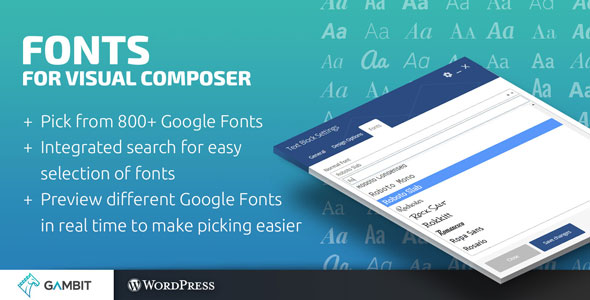
Fonts for Visual Composer gives you the ability to change the fonts of your text to any of the 800+ available Google Fonts. Now, you will be able to easily search in the list of Google Fonts right off the bat, without any clunky setup needed. It’s simple, straightforward and intuitive. If you want to use a font, just pick it from the list. To make things easier, we also show you a preview of each Google Font while you are picking for the perfect font for that heading.
 After installing Fonts for Visual Composer, your rows, columns and text elements will now have a new “Fonts†tab. From there you can search for your desired Google Font. The fonts you select can be applied to your normal text, headings, buttons and other elements; unlike now where you’re restricted to just changing the fonts of a few specific elements only.
Fonts for Visual Composer doesn’t hinder your page loading time, because we load the fonts that you are using asynchronously. This means that your page won’t have to wait for the fonts you chose to load before showing anything to your visitors. Your site remains quick and fast.
After installing Fonts for Visual Composer, your rows, columns and text elements will now have a new “Fonts†tab. From there you can search for your desired Google Font. The fonts you select can be applied to your normal text, headings, buttons and other elements; unlike now where you’re restricted to just changing the fonts of a few specific elements only.
Fonts for Visual Composer doesn’t hinder your page loading time, because we load the fonts that you are using asynchronously. This means that your page won’t have to wait for the fonts you chose to load before showing anything to your visitors. Your site remains quick and fast.
Awesome Features
Pick from 800+ Google Fonts
Preview in real-time the different Google Fonts to make picking easier
Integrated search for easy selection of fonts
Pick fonts for VC’s Row (and their contents), Column and Text Element
Pick fonts for normal text, h1, h2, h3, h4, h5 and h6
Doesn’t slow down the loading of your site (asynchronous loading)
No additional configuration or downloading of fonts necessary
Prevents flash of unstyled text / FOUT
WordPress coding standards
Visual Composer Addon
Enjoying the Plugin?
Be sure to leave a rating and review and show us some love.

Updates
Version 1.0
* Initial release
Share This Product