Featured Products


Gravity Forms User Listing Field
By : nathanfranklinau Published on Monday, November 07, 2016,19:24:21 in WordPress Plugins
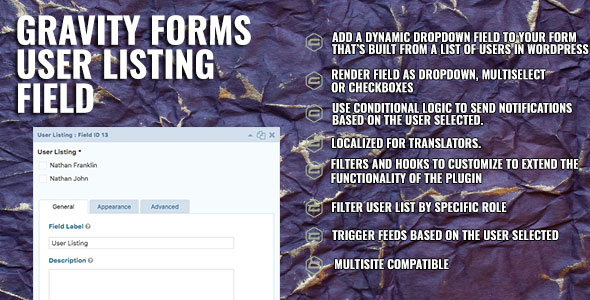
This plugin will add a new Gravity Forms field to your form designer which gives your customers the ability to select from a list of users directly from your WordPress users. You’re able to filter by Roles or simple list all users. It’s simple. Install the plugin and activate it and then a new field called ‘User Listing’ will appear in your Gravity Forms form editor under Advanced Fields. Drag it onto your form and you’re done! That’s it! You can even select the render type of a standard drop down, a multiselect dropdown or even checkboxes! The field type supports all the standard features of Gravity Forms. You can use the enhanced UI using the chosen plugin, setup conditional arguments using this field, set the field size and a range of standard functionality provided by Gravity Forms. The plugin has been set up for translation and includes English translations, and contains multiple developer hooks which allow for customisation and extending beyond what the plugin is already capable of. You must have Gravity Forms 2.x or higher installed and activated on your WordPress site. You are welcome to email me@nathanfranklin.com.au if you require support or have any questions/comments.