Featured Products


HayyaBuild - Responsive Header and Footer Builder
By : zintathemes Published on Thursday, March 17, 2016,10:02:49 in WordPress Plugins
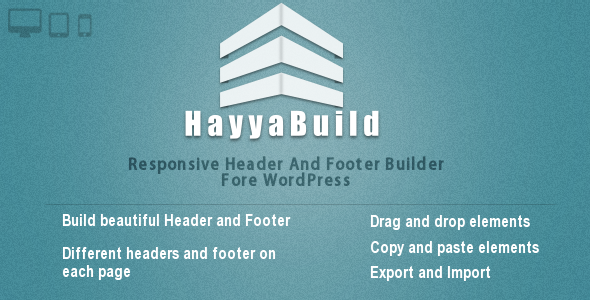
HayyaBuild
HayyaBuild is a powerful and straightforward backend drag-and-drop Wordpress plugin that offers responsive headers and footers builder, this plugin is lets you to create an unlimited number of headers and footers variations using drag-and-drop.Create and manage powerful headers and footers for your wordpress blog or website, its an easy to use plugin that will help you to save your time and grab your visitor’s.
 No coding required
HayyaBuild is a simple drag and drop interface. its generates all the highly efficient code for you.
you’ll never need to write a single line of code.
Autocratically included js files and css files for elements only when you use it.
Save your time Writing a lot of HTML, CSS and JS can be a pain and can give you headaches and take a long time to get it done.
So with HayyaBuild you can create professional header and footer in just 5 minutes.
Also you can export and import it to avoid repeating the same steps every time you do.

HayyaBuild Features
Elements List
Bootstrap’s grid system is responsive, and the columns will re-arrange depending on the screen size: On a big screen it might look better with the content organized in three columns, but on a small screen it would be better if the content items were stacked on top of each other.
The <div> tag defines a division or a section in an HTML document.
The <div> tag is used to group block-elements to format them with CSS.
This DIV will be fixed position when scrolling is started.
With this element you can insert any HTML code.
You can insert icon with any size, color, or link that you want.
With this element you can insert a menu to your header.
It’s a daynamic menu you have to crate a new menu from wordpress menus setting.
Insert a search box to your header or footer.
you can select a background style, font size or font color for this search box.
Insert a separator element to make an empty space between elements.
You can insert any text that you want including images with CKEditor.
A nice social menu including more than ten incons.
Wordpress Archives Widget.
Wordpress Categories Widget.
Wordpress Recent Comments Widget.
Wordpress Recent Posts Widget
Wordpress Tag Cloud Widget
You can chose any slider to show it where you want
Bootstrap provides an easy way to create predefined alert messages.
Ycan easly create alert messages.
Bootstrap provides seven styles of buttons.
A progress bar can be used to show a user how far along he/she is in a process.
Bootstrap provides several types of progress bars.
rounded border around an element with a gray background color and some padding
Allow browsers to determine video or slideshow dimensions based on the width of their containing block by creating an intrinsic ratio that will properly scale on any device.