Featured Products


imageshare imgur clone
By : Nermion Published on Friday, September 16, 2016,20:22:56 in PHP Scripts
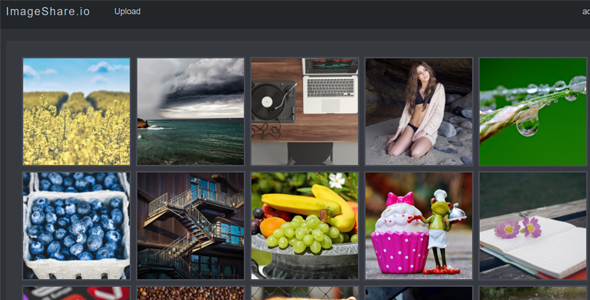
Update 2016-09-20 Added social sharing option. Created Settings area in the Admin area so admin can update application name and some other settings. Note: when testing demo if you enter through Envato Pintrest button will not work. To get it to work close the frame by clicking on “Remove Frame†you can see it on this picture: https://i.imgur.com/6Flr9Fn.png After that Pintrest will work. Imageshare is a image hosting and sharing Laravel 5.3 application. It is inspired by imgur.com Features: Visitors can upload images anonymously and get short links for uploaded images. Visitors can also register and upload and if they want share their uploads with the community. Shared uploads which are called albums can be commented on, voted on and favorited. Albums can be named, images can be named and given description. There is inifinite scrolling for albums and for comments. Comments can be voted on as well. Each registered user can vote, favorite and comment albums. They can create their own albums and upload images to them. These albums can either be private or public and can be shared with the community. There is also admin area where albums and images can be inspected and deleted. To test it enter admin@imageshare.io and ‘password’ when visiting https://imageshare.code4fun.io/ and trying to login. After login click on admin username in the right upper area just like on this picture: https://i.imgur.com/5Y7xhEk.png Dropdown list will show and it will take you to the admin area. After loging in you could also just browse to https://imageshare.code4fun.io/admin. In the demo version of admin albums and images don’t actually get deleted just so that users testing it don’t delete all the albums or images.