Featured Products


Kwik Event Calendar
By : Kwikbitzonline Published on Thursday, November 03, 2016,20:33:44 in JavaScript Scripts
Kwik Event Calendar
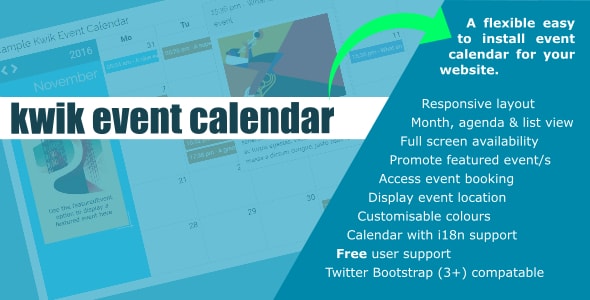
Is an flexible and easy to integrate jQuery plugin to display events on your website in calendar that syncs events from either a .json file or your database.- Month
- Agenda
- List (month compact)
Kwik Event Calendar – Support
We offer our customers ongoing ‘lifetime’ full product support via our ticketing help desk. Our aim is to reply to all tickets within 1 working day. Customers can use the submit the support form on our website or simply email: kwikbitz@estreamdesk.comKwik Event Calendar – Integration
Kwik Event Calendar is based around Twitter Bootstrap the popular HTML, CSS, and JS framework. It may be silly to point out but Kwik Event Calendar is a jQuery plugin so jQuery is a requirement
OK so how do you get started?
After downloading Kwik Event Calendar (here) upload the files to your host server. Logically stylesheet CSS files go into your css folder, and the javascript files into your js folder. The Kwik Event Calendar download is structured like this:var events = data
}) Example php page query (using PDO & assuming the eventdate field is a ‘standard’ Unix Timestamp ) if(isset($_GET[‘callback’] )){
$stmt = $dbh->prepare(“SELECT id_field AS eventid, as UNIX_TIMESTAMP_MS(eventdate_field) AS eventdate,title_field AS title,image_field AS image,text_field AS text,class_field as Class,location AS location,bookable AS bookable FROM events_list_tableâ€);
$stmt->execute();
$row = $stmt->fetchAll(PDO::FETCH_ASSOC);
$data = json_encode($row);
echo $_GET[‘callback’] . ‘(’ . $data . ‘)’;
} Please note – the use of jsonP callback – e.g. callback=? This is included as sometimes Chrome depending on version and your host/database connection does not like getJSON without. Example syntax to obtain data from a .json file events:[ {
‘eventid’:’unique event id’,
‘eventdate’:’1475614800000’,
‘title’:’Lorem ipsum dolor’,
‘image’:’images/image_name.png’,
‘text’:’Lorem ipsum dolor sit amet, consectetur adipiscing elit…. etc’,
‘location’,’URL-escaped formatted address | false’,
‘bookable’:’true | false’,
‘class’:’a CSS colour class’
}] You can also make your Kwik Event Calendar interactive by adding actions to Kwik Event Calendar via Callbacks: jQuery(’#my_kwik_event_calendar_HTML_element’).kwikEventsCalendar({
callback:function(){ // action in here // }
})
Kwik Event Calendar – Options
Note: Options listed on this page are alphabetical. The correct syntax (example): jQuery(‘yourselector’).kwikEventsCalendar({defaultView:’month’,
startDate:’1360013296123’,
headerBackground:’#19B3E9’ })
Basic defaults
defaultView Type:StringDefault: month
Options: month | list | agenda
Description: Sets the default (opening) view defaultLang Type:String
Default: en
Options: Afrikaans, Albanian, Arabic, Arabic (Lybia), Arabic (Morocco), Arabic (Saudi Arabia), Arabic (Tunisia), Armenian, Azerbaijani, Basque, Belarusian, Bengali, Bosnian, Breton, Bulgarian, Burmese, Cambodian, Catalan, Central Atlas Tamazight, Central Atlas Tamazight Latin, Chinese (China), Chinese (Hong Kong), Chinese (Taiwan), Chuvash, Croatian, Czech, Danish, Dutch, English (Australia), English (Canada), English (Ireland), English (New Zealand), English (United Kingdom), English (United States), Esperanto, Estonian, Faroese, Finnish, French, French (Canada), French (Switzerland), Frisian, Galician, Georgian, German, German (Austria), Greek, Hebrew, Hindi, Hungarian, Icelandic, Indonesian, Italian, Japanese, Javanese, Kazakh, Klingon, Korean, Kyrgyz, Lao, Latvian, Lithuanian, Luxembourgish, Macedonian, Malay, Malay, Malayalam, Maldivian, Maori, Marathi, Montenegrin, Nepalese, Northern Sami, Norwegian Bokmål, Nynorsk, Persian, Polish, Portuguese, Portuguese (Brazil), Pseudo, Punjabi (India), Romanian, Russian, Scottish Gaelic, Serbian, Serbian Cyrillic, Sinhalese, Slovak, Slovenian, Spanish, Spanish (Dominican Republic), Swahili, Swedish, Tagalog (Philippines), Talossan, Tamil, Telugu, Thai, Tibetan, Turkish, Ukrainian, Uzbek, Vietnamese, Welsh & siSwati
Description: Sets the default calendar language eventBookingCallBack Type:Function
Default:false
Options: function | false
Description: Enables event booking on the event single view page with a function returning the event data The eventBookingCallBack returns all event data passed via the eventsList option for the specific event as data.field e.g: eventBookingCallBack:function(data){
data.eventcost, data.eventdate, data.title
} This data could be passed to a form for processing – may be a modal the choice is yours. eventBookingText Type:String
Default: Book now
Options: Any text
Description: If eventBookingCallBack enabled the text for the ‘booking button’ featuredEvent Type: Object
Default: undefined
Options: The featuredEvent object format {
‘eventid’:’the event id’,
‘eventdate’:’Unix Millisecond Timestamp for the event start time and date’,
‘title’:’The event title’,
‘image’:’An event image (.jpg,.jpeg,.gif,.png)’,
‘text’:’The event description’,
‘eventcost’:’12.25’
} Description: Displays the featured event in the Calendar header featuredEventCallback Type: Function
Default: false
Options: function | false
Description: If featuredEvent enabled this callback allows users to click the featuredEvent image to obtain further information The featuredEventCallback returns all event data passed via the featuredEvent option for the specific event as data.field e.g: featuredEventCallback:function(data){
data.eventcost, data.eventdate, data.title
} This data could be passed to a form for processing – may be a modal the choice is yours. eventCurrency Type: String
Default: €
Options: Any valid currency in HTML format;
Descriptions: Sets the default currency for chargeable events eventsList Type: Function
Default: undefined
Options: function
Description: Passes a valid events list to the calendar. Valid field dates as on object for the eventsList: { ‘eventid’:’the event id’,
‘eventdate’:’Unix Millisecond Timestamp for the event start time and date’,
‘title’:’The event title’,
‘image’:’An event image (.jpg,.jpeg,.gif,.png)’,
‘text’:’The event description’,
‘class’:’A CSS ‘colour’ selector to to heightlight the event on the calendar’}
‘location’:’false | address – to display location map (Google Maps API key required). The string should be URL-escaped, so addresses such as “City Hall, New York, NY†should be converted to “City+Hall,New+York,NY’},
‘bookable’:’false | true – to display “bookable buttonâ€â€™} eventLocationKey Type: String
Default: false
Option: Your Google Maps API key
Description: Set to your Google Maps API key to display location map on the event single view page maxDate Type: Number
Default: false
Options: Unix Millisecond Timestamp | false
Description: Sets a maximum calendar datee.g.1360013296123 minDate Type: Number
Default: false
Options: Unix Millisecond Timestamp | false
Description: Sets a minimum calendar datee.g.1360013296123 monthRowHeight Type: Number
Default: 100
Options: Any numberic value
Descriptions: Sets the row height in pixels month view startDate Type: Number
Default: false
Options: Unix Millisecond Timestamp | false
Description: Sets a start date for the calendare.g.1360013296123
Text, buttons and icons
backText Type: StringDefault: <i class=â€fa fa-chevron-leftâ€></i>
Options: Any icon/text
Description: Sets either the icon or text for the back button on the event single view page buttonClass Type: String
Default: .btn.btn-sm
Options: Any valid CSS class
Description: Sets the default css class for buttons nextText Type: String
Default: <i class=â€fa fa-chevron-leftâ€></i>
Options: Any icon/text
Description: Sets either the icon or text for the calendar next date button prevText Type: String
Default: <i class=â€fa fa-chevron-leftâ€></i>
Options: Any icon/text
Description: Sets either the icon or text for the calendar previous date button
Colours
blockBackground Type: StringDefault: #FFFFFF
Options: Any valid HEX colour
Description: Sets the colour of the calendar body blockText Type: String
Default: false;
Options: Any valid HEX colour | false
Description: Sets the text colour of the calendar body – false ‘inherits’ colour scheme from web site headerBackground Type: String
Default: #19B3E9
Options: Any valid HEX colour
Description: Sets the colour of the calendar header headerText Type: String
Default: #FFFFFF
Options: Any valid HEX colour
Description: Sets the text colour of the calendar header