By :
nyro009
Published on Wednesday, August 17, 2016,10:23:20 in WordPress Plugins
Like Dislike Comments – LDC
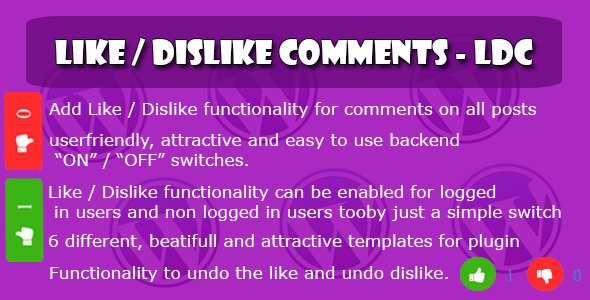
LDC plugin allows you to add like / dislike functionality for comments.
You can restrict the plugin only the registered users by a simple “ON / OFF†switch.
You can select different views for the like / dislike to show on frontend.
If you dont want to show a user dislike button it can be done by a simple ON / OFF switch.
If you want to show a user option to undo a dislike or a like it can be enabled by a simple ON / OFF Switch.
Functionality:
Easy to enable the Like / Dislike functionality for comments.
6 Different, beautifull and attractive styles to show plugin on frontend.
Plugin allows the user to show their feedback for the comment by liking it.
If you want to enable the plugin only for Registered users it can be done by a simple “ON / OFF†switch.
Add Undo like functionality for comments ( If user did like a comment and want to undo that action it can be enabled by a simple ON / OFF switch).
Add Undo Dis-like functionality for comments ( If user did Dislike a comment and want to undo that action it can be enabled by a simple ON / OFF switch).
Like / Dislike details for each comment on comments listing page for backend.
Userfriendly and attractive backend setting’s page.
Install the Plugin:
Installing LDC plugin is simple. You have two options :
Via FTP: Unzip the ‘LDC Plugin’ folder and upload it into the wp-content/plugins folder.
Via WordPress: Login to your WordPress site Navigate to Plugins > Add New> Upload and upload the zipped up ‘LDC Plugin’ folder.
Activate LDC plugin
Now that you’ve installed the plugin, you need to activate it. Go to Plugins > Installed Plugins and click ‘Activate’ under the LDC Plugin.
Share This Product