By :
plazart
Published on Monday, January 18, 2016,09:19:38 in WordPress Themes
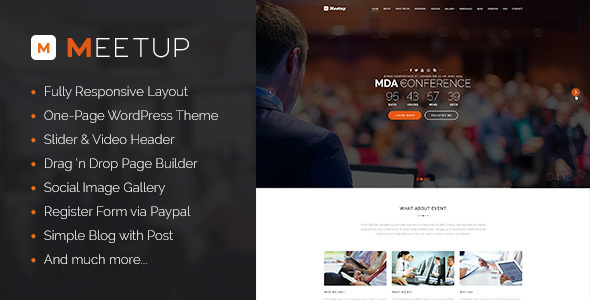


Meetup – Conference Event WordPress Theme
Meetup is a simple and easy-to-use theme which is created for business sites and conference purposes.
There are lots of featured sections for Speakers, Event Schedule, FAQ’s, Registration Form and a location map. With many cutting-edge features, Meetup surely makes your works be effective and impressive among the other ones.
Highlight Features:
Clean, modern, multi-purpose design can be used for any type of website
WordPress 4 Tested and Approved
Built with HTML5 and CSS3
SEO Optimized ( also compatible with SEO Plugins ) Well organized, commented & clean code
Cross-Browser Compatibility: Chrome, Firefox, Safari, IE9 ~ IE11
100% Responsive Theme
Comes with the Visual Composer, most awesome visual page builder for WordPress
1-6 Column Support
Parallax Feature and Video Section for any page
Awesome CSS3 animations for every modules
Child Theme Compatible – includes basic child theme
Strong focus on design and typography, usability and overall user-experience.
JQuery Enhancements
Includes Icons Fonts, more than 600 retina ready icons included!
One Click Demo Content
One Click Demo Import – If you want to use some pages of our demo you just need to make one click to have our demo imported
Import fully widget with One Click Import
Advanced Customization / Themes Options
Customize Every part of the website using the Styling options.
Unlimited Colors options, you can customize your website to match your colors.
Easily change Font and Font size.
Advanced options to enable/disable individual features
Meetup & Visual Composer
Meetup include the Visual Composer, Currently the most famous WordPress page builder
We made 24 Modules for the Visual Page builder, you will be able to
customize anything you want super easily, never code
Change style ( design ) and color of any modules super easily
Easily create stunning pages using our awesome modules.
TZ Plus Gallery Module compatible
All you see on our demo is built only with the Visual Composer modules
Popular Plugin Compatible
WPML plugin ready
Contact Form 7 ready with full design intergration
Bx Slider with full design integration
Visual Composer Ready
Newsletter Plugin Ready
Gallery by TZ Plus Gallery
Unlimited
Color Options
Extremely detailed styling tab in theme options
Unlimited Color Options / Skins with backend and front end Color Picker
Full Color Customizations – change every element with ease including all Visual Composer Modules.
Advanced Blog Options
2 Layouts to choose from : Classic, Grid
All layouts can have left or right sidebar or be full width
6 post types ( video, audio, gallery, image, standard )
Set up multiple blog pages and set custom categories per page using blog module
Select a slider to show on blog page
Auto generated thumbnails
Easily specify the number of items per page
Post sharing with social icons
Threaded Comments
Tons of options to add remove data, excerpt, related post etc
Advanced
TZ Plus Gallery Options
14 Layout to choose from
1-6 Column layout options
Display image from Flickr, Facebook, Instagram, Google+ and your WordPress media.
Easily specify the number of items per page
Custom Page Templates & Page Options Included
Customize each and every page easily
Possibility to Use Slider on every page
Left / Right Sidebar page
Full with page
Built-In 404 page
Real Coming soon page
Great designed search page
Advanced Typography Options
Use Google Fonts or Standard fonts
All font options are controlled in the theme options panel
Set different font sizes for all fonts, H1-H6 headings, body, footer, header, dropdown etc
Set different colors for all fonts
Set font-size, line-height, font-weight for each font type as well
Advanced Background Options
Choose Color of upload custom background image
Set Parallax background
Full width sections also allow background images with parallax
Page title bar background or custom bar title background
Need supports?
* Support Forum
https://www.templaza.com/Forum
When being our member, you have access to our forum where you can post your problem and get support to solve it.
* Support Desk System
https://www.templaza.com/tz_membership/envato_customer.html
It includes two supporting systems: the Ticket system, by submitting a ticket about your problem to us, member will receive answer to the problem. It is also fast and easy to check whether your problem has been solved and how it is fixed.
The second worth-mentioning supporting system is FAQ includes a lot of useful information to be found.
* E-mail
It is also possible to e-mail to
support@templaza.com in order to ask them for help.
Share This Product