By :
MoxSoftInc
Published on Friday, November 18, 2016,19:07:19 in WordPress Plugins
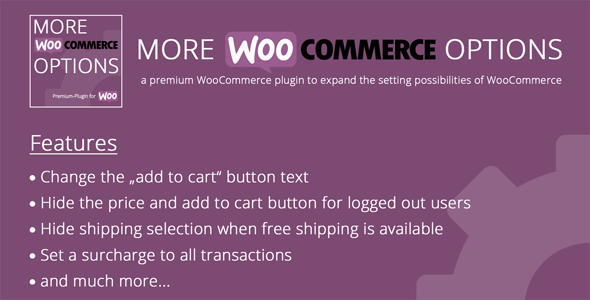
 More WooCommerce options is a plugin that supplements the standard WooCommerce settings with some important settings.
The plugin provides its own tab in the WooCommerce settings with the name “MoreWooOptionâ€.
You can find this tab under: WooCommerce > Settings > MoreWooOptions
The setting possibilities are subordinated in several sections. You will find tabs for “General Settingsâ€,
“Product Settingâ€, “Shop / Archive Settingsâ€, “Account Settingsâ€, “Cart Settings†and “Checkout Settingsâ€.
More WooCommerce options is a plugin that supplements the standard WooCommerce settings with some important settings.
The plugin provides its own tab in the WooCommerce settings with the name “MoreWooOptionâ€.
You can find this tab under: WooCommerce > Settings > MoreWooOptions
The setting possibilities are subordinated in several sections. You will find tabs for “General Settingsâ€,
“Product Settingâ€, “Shop / Archive Settingsâ€, “Account Settingsâ€, “Cart Settings†and “Checkout Settingsâ€.
More WooCommerce Options – Features
Remove woocommerce breadcrumbs
Change the first woocommerce breadcrumb
Replace “Out of stock†by custom text
Change the add to cart button text on product pages
Display “product already in cart†instead of “add to cart†button on product pages
Add a text under product image
Disable product tabs separately
Change the add to cart button text on product archives
Display “product already in cart†instead of “add to cart†button on product archives
Hide the “read more†button for out of stock products and show up the “add to cart†button
Show up quantities next to “add to cart†buttons on product archives
Hide the price and “add to cart†button for logged out users
Remove the product count functionality
Add a message above the registering form
Hide shipping method selection when free shipping is available
Set a basic surcharge in % to all transactions
Add a minimum order amount
Automatically complete orders
Redirect the user to the checkout, after adding a product to the cart
Set the phone number to a not required field in the checkout
Refunds
Before asking for a refund please review “valid†and “invalid†reasons for refunds at
https://themeforest.pluginus.net/page/author_refund_policy
Share This Product