Featured Products


OctopusCodes - Hotel Booking Room
By : octopuscodes Published on Thursday, July 13, 2017,09:39:45 in PHP Scripts
Product Description
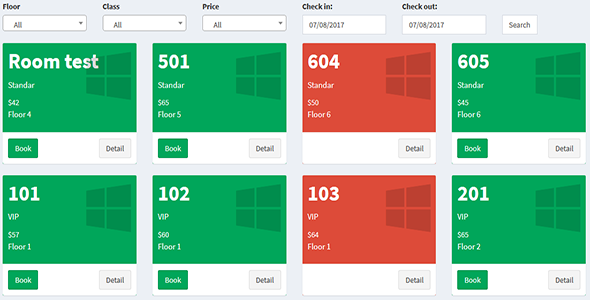
OctopusCodes – Hotel Booking Room is powerful booking engine for single hotel. Powerful hotel reservation system with real time availability and room booking functionality. You can easily integrate with your website or new template. You can manage room, room types, capacity, hotel rates with different date range and month wise advance payment feature.OctopusCodes – Hotel Booking Room has an easy administration page that gives you full control over floors, rooms, services, orders, accounts and settings.
With our responsive, you will have your site displayed correctly across a wide range of end-user devices and screen resolutions for easy ordering and checking out process.
Front-end Features
Back-end Features
Live Demo
Requirements
- PHP 5.x
- MySQL 5.x
Install Application
-
Install Database
Create new database on your hosting and run OctopusCodesHotelBookingRoom.sql file. Create database user and assign dbo rights to the user. -
Install Back-End
- Unzip Main.zip file and upload to your hosting.
- Open database.php file in application\config foler and change values of hostname, database, username and password as below:
- hostname: your server name
- database: your database name
- username: your username
- password: your password
- Open config.php file in application\config foler and change value of base_url as below:
- $config[‘base_url’]: your domain name
- Run website and login with default account:
-
Admin Panel (Admin access)
URL: https://www.yourdomain.com/administration/login/index.html
Email: admin@admin.com
Password: admin@admin.com
Remember that you can change default admin URL in order to secure admin UI entry point. -
Customer Panel (User access)
URL: https://www.yourdomain.com/
Email: a@gmail.com
Password: 123