Featured Products


Smart SMS & Email Manager (SSEM)
By : xeroneitbd Published on Tuesday, February 09, 2016,09:06:15 in PHP Scripts
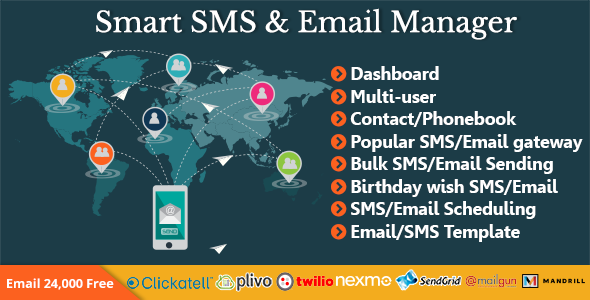

Smart SMS & Email Manager (SSEM), a multi-user application that manages your SMS & Email in a smarter way. You can manage your contacts, create SMS/Email template, send SMS/Email, schedule when to send SMS/Email, wish your contacts’ birthday etc.
SSEM has built-in support for world’s most popular SMS & Email gateways like Plivo, Twilio, Clickatell, Nexmo, Mandrill, Sendgrid, Mailgun etc.


Key Features :
- Â Â Dashboard (graphical report of recent activities)
- Â Â General settings (system customization)
- Â Â User management (User Types : admin, user)
- Â Â Contact management
-
  Most popular SMS/Email gateway support
  (Plivo, Twilio, Clickatell, Nexmo, Mandrill, Sendgrid, Mailgun) -   SMS/Email template management
- Â Â Bulk SMS/Email sending
- Â Â Scheduled SMS/Email sending (read me)
- Â Â Birthday wish SMS/Email (read me)
- Â Â Report
Supported SMS & Email Gateways

Quick Installation Guide
- Download .zip package
- Upload it to your server
- Extract the package (make sure all the folders have write permission & your server has cURL enabled and apache mod_rewrite enabled)
- Run the uploaded url via browser (https://yourdomain.com/sub1/sub2/.../ssem/) and you will find a interface to provide the settings for SSEM:
- Hostname : database host name / IP
- Database Name : create a mysql database for SSEM on your host and write that name here
- Database username : username of the created database (if applicable)
- Database password : password of the created database
- SSEM Admin Panel Login Email : this email will be used to login as admin
- SSEM Admin Panel Login Password : password to log in as admin
- Company Name and Company Address
- Company Email
- Company Phone /Â Mobile : with country code
- Click Install SSEM Now Button
- You are done. Log in with your admin username and password and start using SSEM.
Demo URL:
Demo Link: https://ssem.xeroneit.net/home/loginLogin as Admin
Username: admin & Password: 123456
Login as Member:
Username: member & Password: 123456
Support:
Our team is ready to solve your problem as soon as possible. Please feel free to check our envato support instructions or email to konokronok@gmail.comWe will try our best to get your five star rating.
Documentation:
Want to know more about SSEM? Please read our DocumentationScreenshots & Description: