Featured Products


Super Forms - Drag & Drop Form Builder
By : feeling4design Published on Wednesday, December 09, 2015,08:32:59 in WordPress Plugins
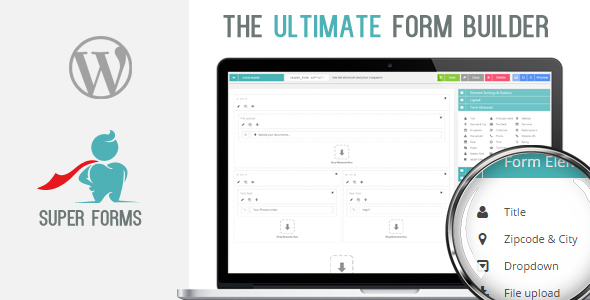
Try out Super Forms for free:
Username: demo
Password: demo
Login: Click here to login
After you logged in you can start building your first form instantly!


Description
Super Forms is the one and only plugin that you will ever need for your contact forms. This WordPress Plugin is very user friendly when it comes to building forms. With unlimited options you will be able to create any kind of forms. With conditional logic, Multipart elements and tons of customizable options and settings to adjust any color of any element to fit your needs. No matter what theme you have installed Super Forms will fit with it’s color scheme functionality. Send confirmation emails, save contact entries with it’s data. And much more functionality!Settings & Options:
Conditional logic Every element can have one or more conditional logics. This way you can create advanced and complex forms if you need to do so. The following options can be set for your element when it comes to conditions:?? Contains
== Equal
!= Not Equal
> Greater than
< Less than
>= Great than or equal to
<= Less than or equal to Live preview mobile/tablet/desktop To quickly check what your form looks like on the front-end you can easily click the preview button. There you can also choose to preview the mobile or tablet preview.
Settings & Options:
Email HeadersChangelog
December 17, 2015 – Version 1.0.4- Added: Option to exclude any field data from both emails instead of only the confirmation email - Added: When reCAPTCHA key is not filled out, a notice will popup on the front-end - Added: Add-ons can now insert hidden fields inside an element, this was not possible before - Fix: Color pickers on form builder page initialized when already initialized - Fix: Hidden fields where skipped from email in some cases - Fix: Icon positioning on some elements not always correctly aligned when selected Outside the field - Fix: Textarea at form builder within the load/insert form should not be visible - Fix: Diagonal button background hover color not correctly changing color after mouseleave - Fix: For Add-on purposes, we check if the field label is set or not before replacing it by the Tag system, otherwise PHP might throw an error in case the Add-on has not set a field with the name label (same goes for field value) - Fix: For Add-on purposes, if an Add-on element has been created and the Add-on is being deactivated make sure the element is skipped - Fix: Made sure themes do not override border-radius for input fieldsDecember 12, 2015 – Version 1.0.3
- Fix: Not able to drop existing elements inside the multipart element on the builder page
- Fix: Setting Exclude from email for fileupload element not working
- Fix: If fileupload element is used, and large file uploads are taking place, the form will no longer be submitted to soon - Added: Possibility to have multiple forms on one page with each their own fileupload element
December 11, 2015 – Version 1.0.2
- Added: Action Hook (super_before_printing_redirect_js_action) to do something before displaying or redirecting after completed submitted form.
- Fix: On editing column previously generated fields are not correctly retrieved.
- Fix: For columns the conditional logic wasn't looping through multiple conditions only through the first condition.
December 10, 2015 – Version 1.0.1
- Fix: Dropable snap not allowed when not a column or multipart
- Fix: Conditional trigger, wasn't fired on dropdown change
- Fix: Some PHP errors removed during debug mode
- Fix: Some other smaller bug fixes
December 9, 2015 – Version 1.0.0
- Initial release!








.jpg "Important: This plugin is an add-on that requires the Bookly plugin. View Bookly page at Codecanyon. Your clients can now book a whole series of recurring appoi")