Featured Products


The Appointment Machine SaaS
By : x692222 Published on Tuesday, August 30, 2016,07:24:35 in PHP Scripts

Want to check it out live? Here’s the demo
Note: Sending notification messages, sending email messages, sending SMS messages and contact number lookup is disabled in the demo version. The demo resets ever 3 hours.Administration Control Panel
Username: admin@localhost.comPassword: admin
Client Control Panel
Username: client@localhost.comPassword: demo
Demo URL
https://theappointmentmachinesaasdemo.x692222.comDocumentation
Fresh, up-to-date documentation can be viewed at https://appointmentmachinewiki.x692222.com/The Appointment Machine SaaS
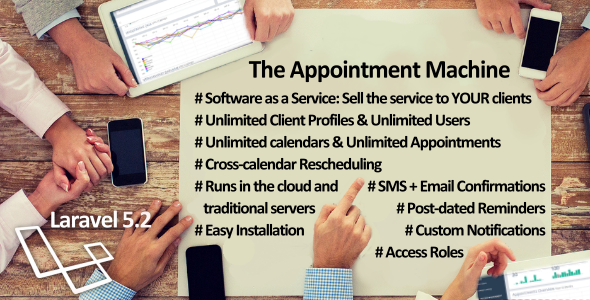
The Appointment Machine SaaS is a robust Software-as-a-Service platform that works straight out of the box. It is appointment scheduling software and acts as a complete provider:client:user appointment manager with integrated email and multi-provider SMS confirmation notifications. It hosts multi client profiles – which allows you to have one SaaS installation, catering for unlimited clients and unlimited end-users. Notification messages and time schedules are fully customizable per profile, per appointment calendar, per appointment instance. The Appointment Machine SaaS is legend. It is a crackerjack. The Appointment Machine SaaS is reliable, requires minimum command line installation and it just works. This platform is built to allow the license holder to easily set-up a SaaS environment and sell the service to his or her customers – so in short – this platform is built to make you money. This, combined with the guarantee that we have your back by providing first-class support to you as well as regular new software feature updates – The Appointment Machine SaaS is a turnkey software solution which allows you to focus on sales, while we take care of the software.
What You Get
How The Appointment Machine SaaS Works
You, the administrator
You are the license holder of The Appointment Machine SaaS, which runs in a web server environment. You provide an “Appointment Manager†service to your clients. You are thus the administrator and will access the administration panel of the system. You can set up more than one administrator user account and assign access roles for each administrator user. The administrator panel (based on the access roles created) has full access to each profile (client) account and can action each feature on behalf of the profile account.Your Client, the service provider
Your client is the service provider to their customers. They log into their control and manage their appointments from the client control panel. Each client holds one profile account. Each profile account can have multiple users. Each profile account can have multiple calendars. Each calendar can have multiple appointments, its own calendar configuration and its own notification message configurations. Each profile account can have multiple SMS gateway provider configurations.To sum it up
So – you provide an appointment manager service to your clients. Your clients use this appointment manager service to serve their customers.Feature Requests
Yes! We’re extending The Appointment Machine SaaS based on what our clients want! For more information, click click here
Credits
The Appointment Machine SaaS makes partially or in a whole, use of:Server Requirements
Below is a list of server requirements – however, if you are hosting The Appointment Machine SaaS in the cloud on an instance such as Amazon AWS Beanstalk or in a server environment such as Homestead, then there is no need to manually install any software package on your server.System Requirements
Change Log
23 August 2016 - Initial launch v1.0
Features In Development
* API to view a calendar appointments on user-specified end points, such as a website. This is based on a per calendar basis
* Changing the existing SMS gateway configuration per profile - to one global SMS configuration set in the admin - thus removing the ability for your profile customers to set their own SMS gateway configurations
* API call for every appointment scheduled / re-scheduled - thus enabling application owners and/or profile users to interconnect their own billing systems by receiving a GET/POST from The Appointment Machine SaaS with the appointment information