By :
wptpnet
Published on Thursday, October 22, 2015,09:29:31 in WordPress Plugins
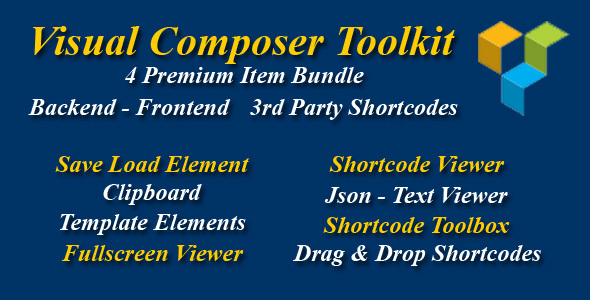
This addon helps you save a lot of time each when design your page/post on Visual Composer with a bundle of 4 Premium addons (worth $46).
Awesome Testimonials of all addons
“Great tool” –
jinspin
“It’s awesome! The Favorites is soooo great!” –
EnterpriseBranding
“Always 5 Stars Support!” –
EnterpriseBranding
“VERY handy plugin! If you work with Visual Composer and spend a lot of time tweaking settings and content, this plugin is a real time saver. Very much recommended!” –
argosmedia
“Very nice and easy! Works great! 5 Stars definitely! Very useful” –
EnterpriseBranding
“It is extremely useful and needed. Saves a lot of time!” –
EnterpriseBranding
“Great work man

Love it hope will sale huge
“ –
smartdatasoft
“Very handy” –
quentro

Save Load Element:
Save and Load shortcodes / elements.
Copy and Paste shortcodes / elements.
Works fine on Backend editor & Frontend editor.
Always show icons mode.
Works fine with all 3rd party shortcodes / elements
Import / Export.
Insert checker.
Converter.
...
How to save and load shortcode / element ?
How to copy and paste shortcode / element ?
Preview front-end mode ?
How to drag and drop template element with new Shortcode Toolbox addon ?
 Works fine on Backend editor & Frontend editor.
Drag & Drop any shortcode/element to Empty Page of VC editor.
Drag & Drop any shortcode/element above or below any Row/Row inner/Element content.
Drag & Drop any shortcode/element to Column/Column inner.
Works fine with all 3rd party shortcodes / elements.
Show / Hide Shortcode Toolbox.
Good behavior with VC Editor: connect directly to row/column sortable ui.
Shortcode Toolbox is draggable dialog and keep fixed position on page.
Shortcode filter: search shortcode/element by name.
Add or remove any shortcode/element to Favorites list.
...
How to drag and drop shortcode / element with Shortcode Toolbox?
How to drag and drop template element with new Shortcode Toolbox addon ?
How to drag and drop shortcode / element in Frontend mode?
How to add and remove shortcode / element to “Favorites list”?
Works fine on Backend editor & Frontend editor.
Drag & Drop any shortcode/element to Empty Page of VC editor.
Drag & Drop any shortcode/element above or below any Row/Row inner/Element content.
Drag & Drop any shortcode/element to Column/Column inner.
Works fine with all 3rd party shortcodes / elements.
Show / Hide Shortcode Toolbox.
Good behavior with VC Editor: connect directly to row/column sortable ui.
Shortcode Toolbox is draggable dialog and keep fixed position on page.
Shortcode filter: search shortcode/element by name.
Add or remove any shortcode/element to Favorites list.
...
How to drag and drop shortcode / element with Shortcode Toolbox?
How to drag and drop template element with new Shortcode Toolbox addon ?
How to drag and drop shortcode / element in Frontend mode?
How to add and remove shortcode / element to “Favorites list”?

Shortcode Viewer:
View shortcode / element with JSON format.
View shortcode / element text same as VC and Classic mode.
Edit / Add any shortcode / element with JSON format.
Works fine on Back-end & Front-end.
Works fine with all 3rd party shortcodes.
...

Fullscreen Viewer:
View shortcode / element container with Fullscreen mode.
Works fine on Back-end & Front-end.
Works fine with all 3rd party shortcodes container.
...

Compatible Add-ons:
Drag & Drop all 3rd party shortcodes: Visual Composer Extensions, Ultimate Addons for Visual Composer, Easy Tables, ...
Compatible VC:
Checked VC 4.7.4 – 05.10.2015
Checked VC 4.7.3 – 01.10.2015
Checked VC 4.7.2 – 23.09.2015
Checked VC 4.7 – 19.09.2015
Other addons:

Credits
Jquery ui
Code mirror
Don’t forget to check preview screenshots to see all features.
Change Log
Version 1.0 – 20.10.2015
- First release version.
Share This Product