By :
wpproficient
Published on Thursday, February 16, 2017,08:57:31 in WordPress Plugins
RISK FREE PURCHASE
5 days money back guarantee ( starting from the day of purchase ). This way you can try out our plugin on your own WooCommerce Store, and see if it will work for you. If it doesn’t work for you or have a conflict with another theme/plugin and you decide not to use it anymore, just request a refund with a proper reason and we’ll give you your money back, no questions asked.
This plugin doesn’t come with live preview but having a Risk Free Purchase policy, you are still good to go with the plugin without any risk.
DESCRIPTION
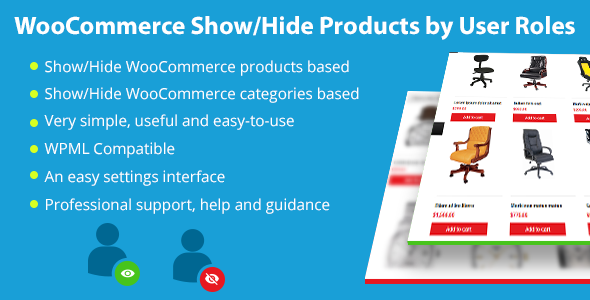
The “WooCommerce Show/Hide Products by User Roles†plugin extends the popular e-commerce plugin WooCommerce to show products catalog based on user roles. This plugin allows you to control the visibility of WooCommerce Products on an individual role basis.
HIGHLIGHTS
Show/Hide WooCommerce products based on user roles whole over the website ( eg: WooCommerce Search, WooCommerce Shop, Product Categories, Product Tags, Products Listing Widgets etc. )
Show/Hide WooCommerce categories based on user roles whole over the website
Not limited only to product settings or to category settings at one time and allows to set both together
WPML Compatible
Very simple, useful and easy-to-use
An easy settings interface
Professional support, help and guidance
INSTALLATION
Upload the `woo-products-by-user-roles` folder to the `/wp-content/plugins/` directory.
Activate the plugin through the ‘Plugins’ menu in WordPress.
OR simply upload the plugin from WordPress admin section under Plugins >> Add New >> Upload Plugin.
Visit the “Dashboard >> WooCommerce >> Settings >> Products by User Roles†Menu.
CHANGELOG
== 1.0 ==
* Launched the initial version of the plugin
Share This Product