By :
paulstelzer
Published on Thursday, February 02, 2017,16:26:47 in WordPress Plugins
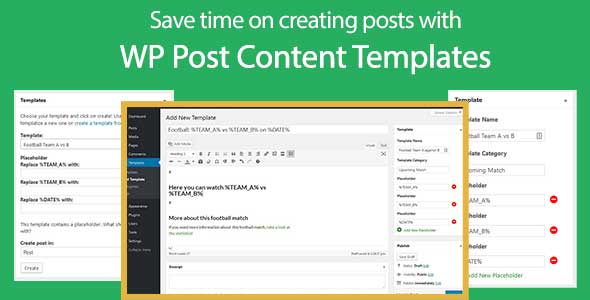
The WP Post Content Template is perfect for authors in WordPress. You can save an existing post as template or create a new one from scratch. So you do not need to open an old post, copy the content and paste this into a new one. Furthermore, you can define placeholders which will be replaced an choosing a template.
Template contains all WordPress related contents
You create a Content template like a normal WordPress post. You can predefine every element of WordPress like:
Title
Text
Tags
Categories
Featured Image
Custom Taxonomies
Custom Fields
And the best of all: Create and use placeholders! Every placeholder will be replaced with the word you set on choosing the template
WP Post Content Template examples
Just a few examples how WP Post Content Template can help you:
If you have a football website, then you can set title, category and text with the predefined parameter. Instead of the teams, you use placeholders like “ TEAM_A †and “ TEAM_B â€. Then choose your template and put in the correct name of TEAM_A †and “ TEAM_B †and your article is ready with title, category, text with the correct team names.
You have a food blog. Instead of creating everytime a table or start with empty custom fields, you can predefine all of the post contents like custom fields, category and so on
Compatible with other plugins
The WP Post Content Template Plugin is compatible with other plugins like:
ACF | Advanced Custom Fields: Choose your Meta Box and add this to our Template Custom Post Type. Then you can fill in all custom fields and if you create a post from this template, the custom fields of Advanced Custom Fields are already filled in
Custom Post Type (CPT) UI: Every template you create can be used in every custom post type you create, e.g. you create the custom post type “FAQ†with CPT UI, then you can create and use a template for this custom post type!
Visual Composer: Works with Visual Composer, too!
With the WP Post Content Template Plugin, you can save a lot of time! Instead of starting from zero, your post can already have the parameter you often use.
If you want to test the plugin, just use the following demo:
URL: https://demo.paulstelzer.de/wp-admin/
User: demo
Pass: demo
Share This Product