Featured Products


WpChats - Instant Chat & Private Messaging Plugin
By : samiel Published on Tuesday, November 03, 2015,08:11:50 in WordPress Plugins
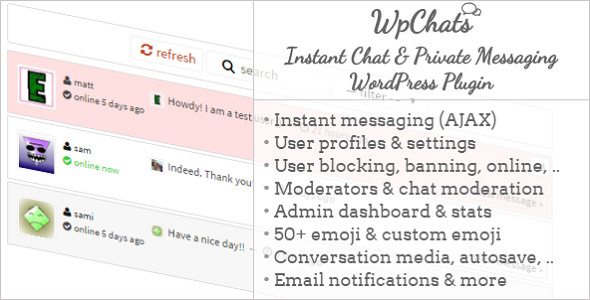


WpChats – Instant Chat & Private Messaging WordPress Plugin
- About this plugin
- Features
- Screenshots
1. About this plugin
1.1 About: WpChats (WP: WordPress) is a WordPress plugin easy to implement, allowing you to turn your blog or website into a social network, where users can send and receive messages in an instant way, choose who to contact by blocking/unblocking users, update information and settings, get notified while offline, .. and most of all, doing everything elegantly thanks to AJAX.. 1.2 Licences:2. Features
2.1 Instant Messaging: Instant messaging (IM) is a type of online chat which offers real-time text transmission over the Internet. – WikipediaBasically once the main plugin script is loaded, jQuery & jQuery AJAX will make easy to send and receive messages in the mean time, and load everything without the new to window-refreshing. 2.2 User profiles / Settings: Comes with user profiles, this plugin makes it easy to browse users, read their information (e.g online status) and keep in touch with them. Users can update anytime their settings and information: about, social profiles, notifications settings and user preferences.. 2.3 Conversation tools: Users can benefit from handy conversation tools, allowing them to easily import media into messages and control those messages. Tools include:
2.6.1 Dashboard: Within the dashboard, user with admin roles can view and search users using chat, view information about them, search messages .. :
2.6.2 Moderation panel: Allows you as admin to moderate reported messages, and assign new moderators or remove them. From there you can delete messages, delete reports, ban users.. To trash or restore deleted messages, please visit “deleted messages” section. You can easily import all your bbPress moderators and assign them as chat moderators. Or simply search users.
2.6.3 Emoji: From this area, you can use WordPress media uploader to upload custom emoticons, and assign a code and information to them. You can also delete or update these custom emoticons anytime.
2.6.4 Settings: Main plugin settings can be updated from this area.
2.6.5 Deleted Messages: The messages you or other moderators delete will be kept in this section until you choose to either restore them to their respective conversations, or totally trash them.
2.6.6 Banned users: From this section you can view banned users that you or other moderators have banned, unban them or add more by searching them from your site users..
2.6.7 Mailing: In this section you can update email formats, those formats will be used while notifying users by email. Mailing include:
2.6.8 Shortcodes: An informative page showing you some available shortcodes you can use to output WpChats various content and information..
3. Screenshots
Available soon..