Featured Products


xPanel - Smart Sliding Panel and Sidebar Widget Area for WordPress Themes
By : SaurabhSharma Published on Friday, June 10, 2016,11:14:09 in WordPress Plugins
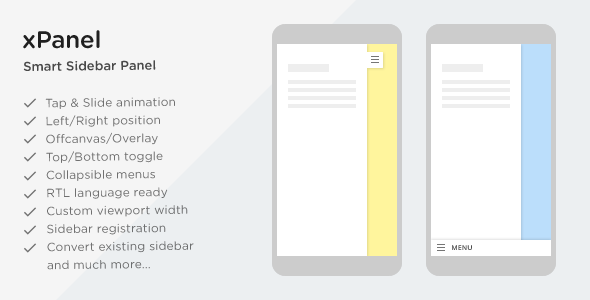
xPanel is a smart sliding panel and sidebar widget area for WordPress themes. With xPanel, you can present sidebar widgets and menu items in more user friendly way on mobile and tablets. Just one click and users will be able to toggle sidebar content in form of a sliding panel.
With xPanel, you can convert an existing sidebar into sliding panel or register a new sidebar. The plugin allows you to control viewport width on which panel shall be displayed. i.e. you can use it for any width from large displays to small mobiles. Give your site a new appeal and enhanced touch with this modern sliding sidebar. It works with almost all themes out there and you will find it a very useful tool in your plugin collection.Check out the demos


Features in detail
How it works
After installing and activating xPanel, you can show a slide panel by either choosing a widget area, or by converting a widget container of front end into slide panel. Below are some use cases to help you understand how xPanel can be of great use: Use case #1: Say you have a sidebar on your theme’s front end. This sidebar contains important widgets and contact forms which goes too down on mobile devices. You may need to show these in slide panel for mobile users. In this case, xPanel will help you converting this existing sidebar container into a sliding sidebar. You only need to provide the sidebar container selector in plugin settings. For example, #sidebar. Use case #2: Say you are running an ecommerce site using WordPress. You might be having many filters for products, including price range, cart, attribute filters, etc. On mobile devices you would want to show these filters in more accessible manner for users. In such scenario, you can use xPanel for converting the shop sidebar into a cool “Filters†like bar on mobile. Use case #3: Though most themes today support responsive menus, in some cases you would want to show a collapsible menu for users on mobile. xPanel has built in option for converting list items into collapsible accordion like menu. Using this feature, you can show a well structured collapsible menu using “custom menu†widget and xPanel for your mobile users. These are just some examples in which xPanel can be used efficiently. You can show custom content, advertisements, forms, and almost anything using widgets into this side panel. Purchase xPanel today and see how users love browsing your site on mobile.Plugin Support
All support is provided via comments section and email. For any questions related to the plugin or general query, feel free to email me from my profile page message box, or comment on the item comments section. I would be glad to respond. Thank you for browsing the plugin.Update log
= initial release =
Credits
jQuery library (as shipped with WordPress)Material Design Icons
Settings API Wrapper