By :
wpinstinct
Published on Monday, November 30, 2015,12:39:16 in WordPress Plugins
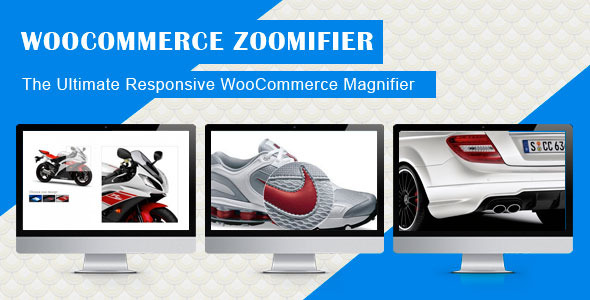
“WooCommerce Zoomifier” adds a zoom/magnification and lightbox effect to product images along with a customizable image slider. It helps to enhance user experience and sales. When it is hard to get a sense of the real quality and the details of an online product, WooCommerce Zoomifier Plugin allows to see the product images clearly the most so you easily bring your products closer to customers. So it not only helps to improve the website usability but also makes your store more user friendly and professional!
Highlights/Features:
Fully customizable and easy to setup
Mobile Friendly
Feature Zoomer/Magnifier:
Allows you to choose Mouse Cursor type – Default, Cursor, Pointer, Crosshair
Allows you to activate/deactivate “Image Easing” which when activated smoothens the magnification UI experience
Allows you to choose a Zoom Type – Window, Inner, Lens
Allows you to choose different settings based on Zoom Type
Allows you to activate/deactivate zoom on mouse scroll
Allows you to choose the Container Box Size
Allows you to choose the Container Box Position
Allows you to choose the Container Box Fadein/Fadeout Time
Allows you to choose the Lens Border Size
Allows you to choose the Lens Border Color
Allows you to choose the Lens Shape – Round, Square
Allows you to choose the Lens Color
Allows you to choose the Lens Size
Allows you to choose the Lens Fadein/Fadeout Time
Allows you to activate/deactivate “Contain Zoom Lens” which when activated makes sure the lens does not fall outside of the Main Image
Allows you to choose the Lens Visibility/Opacity
Allows you to activate/deactivate Tint/Shadow
Allows you to Tint/Shadow Color, Visibility/Opacity and Fadein/Fadeout Time
Feature Lightbox:
Allows you to activate/deactivate “Lightbox” on images
Shows a full image lightbox when click on image
Feature Slider:
Allows you to customize slider styles and settings
Allows you to choose Slider Transition Effect – Slide, Fade
Allows you to show/hide title on Main Image
Allows you to select a Slider Border Size
Allows you to select a Slider Border Color
Allows you to select a Slider Background Color
Allows you to select a default thumbnail and active thumbnail Border Color
Allows you to select a thumbnail Visibility/Opacity
Feature Responsive:
Allows you to customize responsive settings
Allows you to active Lens View on small width devices
Allows you to choose the small device width
Allows you to choose the Lens Size for small width devices
Allows you to choose the Lens Border Size for small width devices
Feature Inclusive/Exclusive:
Allows you to disable Zoomifier for specific categories
Allows you to disable Zoomifier for specific products
Allows you to enable Zoomifier for specific products from excluded categories
Share This Product